How to Run an Absences Summary Report
This screen produces the Absence Summary report. It lists absence information associated with each Employee within the specified Absence Group and Absence Account
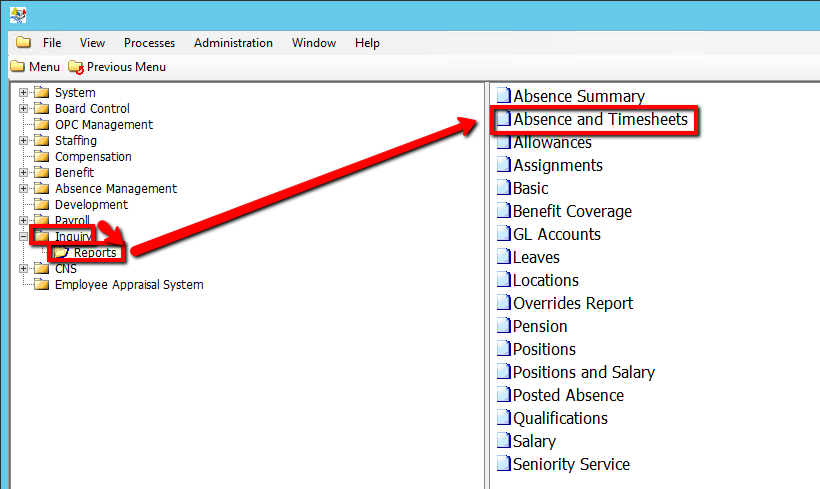
Use the following steps to run a Absence Summary Report:
1. Click on Inquiry
2. Click on Reports
3. Click on Absence Summary
.png)
4. Enter an Absence A/C Code Value (If applicable)
5. Enter an Absence Group Code Value (If applicable)
6. Click on the Submit button to generate the report
.png)