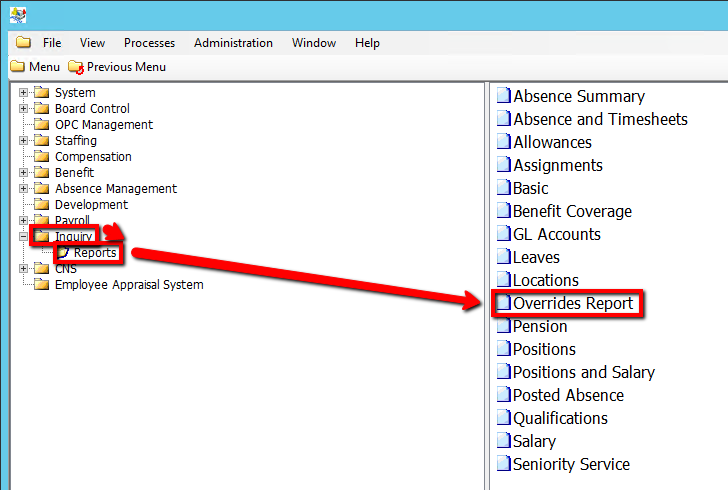
How to Run an Overrides Report
This screen produces the Overrides Report. It lists anyone with an Override on the Accounts and Individual Calendar screen with an active position on the As Of Date for the Absence Group/Account combinations selected in the parameters.
Use the following steps to Run an Overrides Report:
1. Click on Inquiry
2. Click on Reports
3. Click on Overrides Report
.png)
4. Select an Absences Group Code / Absence Account Code (If applicable)
5. Enter a As of Date Value (This field is Mandatory)
6. Click on the Submit button to generate the report
.png)