How To Copy Supervisors/Union Representatives to an Email
This tab is used to Add/Modify & displays a list of additional recipients (Copy To) that the email body, defined in email text tab, will be sent to.
Use the following steps to Copy Supervisors/Union Representatives to an Email:
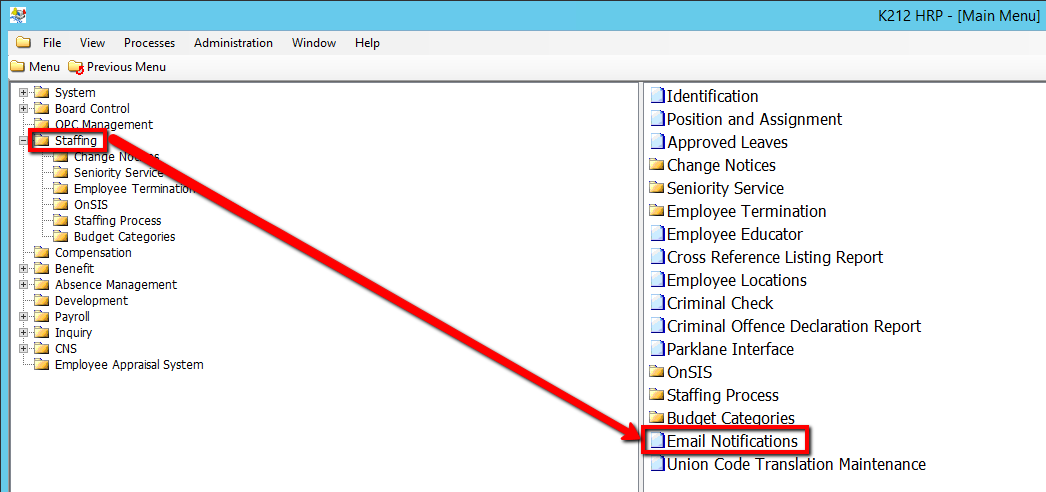
1. Click on Staffing.
2. Click on Email Notifications

3. Click the Find button at top of the menu bar to see all current Records in the database.

4. If K212 HRP dialog box displays, click Yes to continue.
.png)
5. Select the Record that needs to be edited or right-click the grid below Tag and select New Record to add a new record
.png)
6. Enter a valid Tag (i.e First_Name).
7. Enter a valid Employee Group value (i.e ASP)
8. Enter a valid Location Code value (i.e 001)
9. Enter a valid Email Address value (i.e Supervisor@email.com)
10. Click the Save button.
