How to View Employee Degrees
This screen is used to search for degrees held by Employees. It is possible to see a list of Employees holding a particular degree or a list of degrees held by an Employee. No updates can be made on this screen.
Use the following steps to View Employee Certificates and Qualifications:
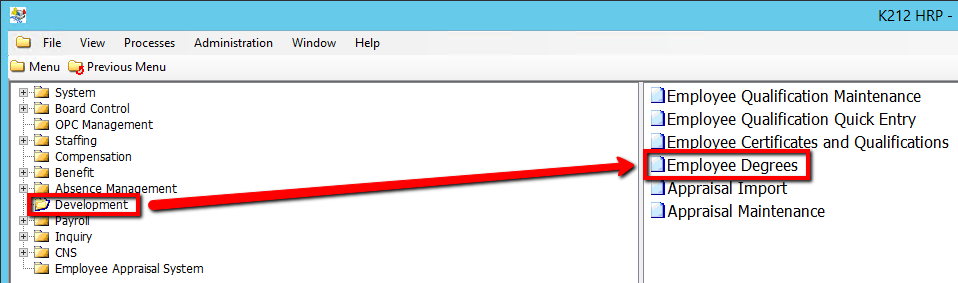
1. Click on Development
2. Click on Employee Degrees
.png)
3. Enter a Search parameter, such as Employee ID.
To View ALL Employee's, Simply click the Find button, with no parameters entered.
4. Click the Find button at top of the menu bar to see all relevant records in the database.
