How to Import Employee Development Appraisals
This screen performs a background process that imports a file containing individual Employee appraisal information from created by a Third Party application
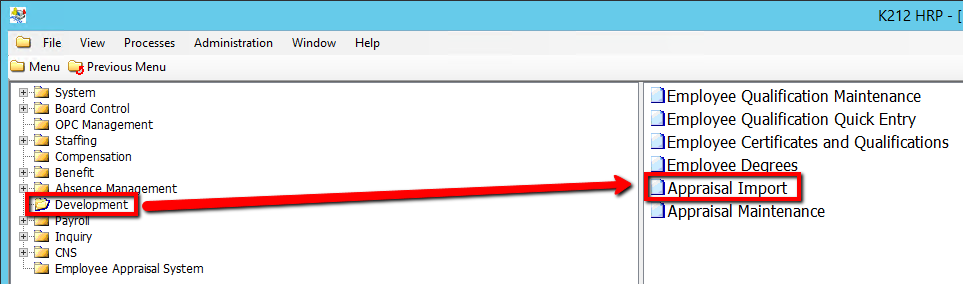
Use the following steps to Import Employee Development Appraisals:
1. Click on Development
2. Click on Appraisal import
.png)
3. Confirm the Appraisal File sent by the third party is in its designated folder within K212 HRP (Consult the User Guides for more information)
4. Click on the Submit button to import the Appraisal File provided by the third party
.png)