How to Run a CSB Transmission Report
This screen is used to run a background process that generates an extract file from the K212 HRP database containing Board Employee's PA’s. The Teachers' Pension Plan uses the extract file to match against their database. The file contains the following information: Social Insurance Number, Ministry ID, Year and PA Amount.
Use the following steps to Run a CSB Transmission Report:
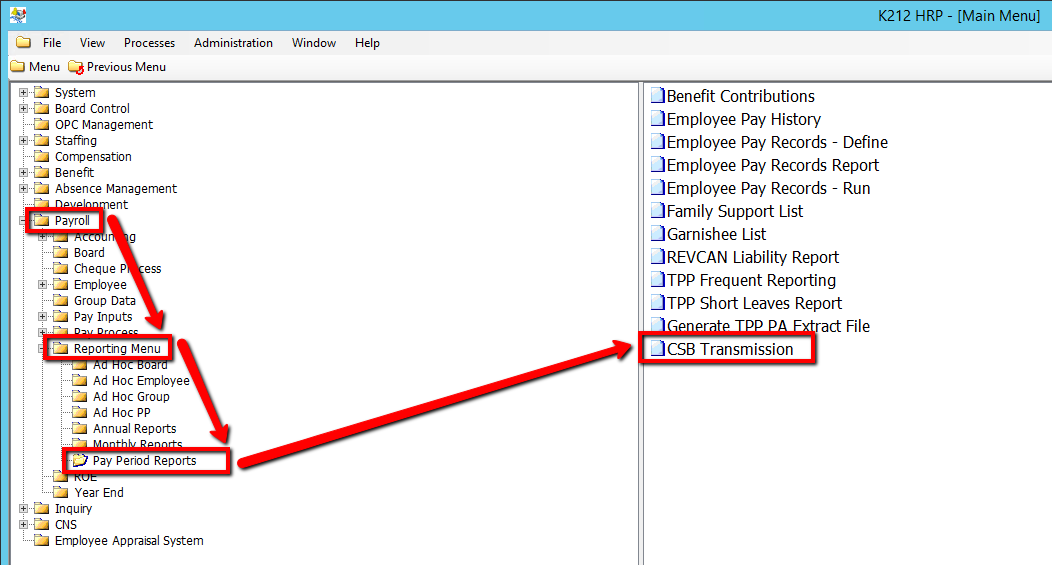
1. Click on Payroll
2. Click on Reporting Menu
3. Click on Pay Period Reports
4. Click on CSB Transmission
.png)
5. Enter a Cheque Date Within Days value
6. Enter an Organization ID value
7. Enter an Organization Site value
8. Enter a Transmission ID value
9. Enter a Fax/Email Indicator value
10. Enter a Fax Number/E-mail value
11. Select an Environment value
12. Click on the Submit button to generate the report
.png)