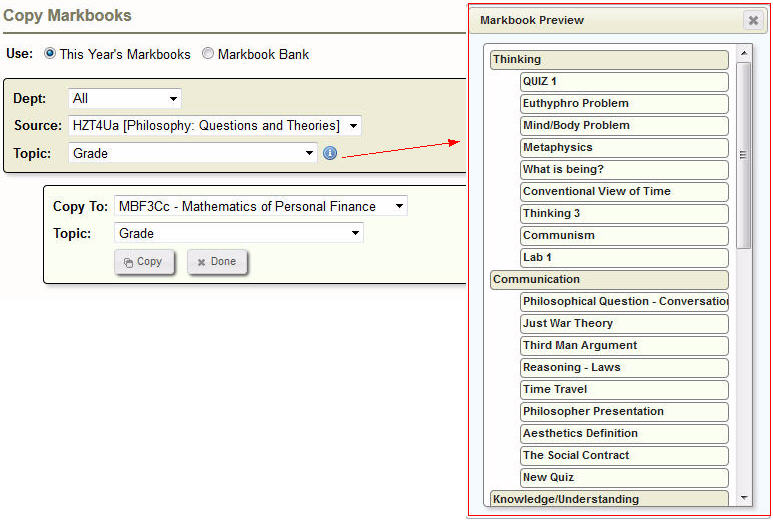
lets you see the contents of the markbook before you copying. Select a Homeroom or a Class. If you select a Class and there are Topics associated make your selection from the drop-down list you can now click the little I icon.
Use this feature to copy the template of an existing markbook to a class that has not had a markbook defined.
Please read the note at the top of the screen. It will explain why you may not see the expected classes or topics in the Copy From or Copy To list.
Markbooks can be copied from any teacher’s class but only INTO your own class(es).
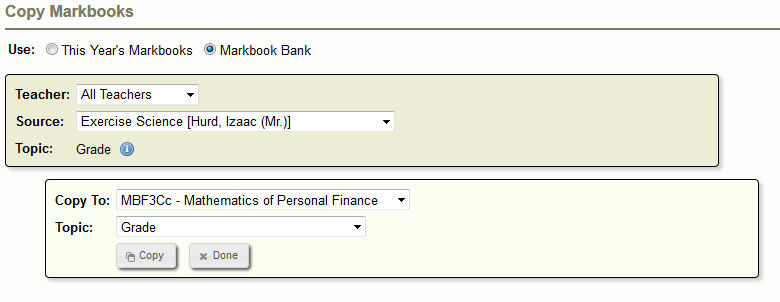
Use - determines where your markbook templates are located. Select This Year's Markbooks or the Markbook Bank (last year’s markbook templates).
The Information button lets you see the contents of the markbook before you copying. Select a Homeroom or a Class. If you select a Class and there are Topics associated make your selection from the drop-down list you can now click the little I icon.
The Copy To area tells the program where you want the markbooks to go. Again, select a Homeroom or a Class. If you select a Class and there are Topics associated make your selection from the drop-down list. When everything is set, click Copy.
**If your school’s administration has assigned departments to the courses at your school, there will be an additional drop down menu in the Copy From area. You will need to select the correct department to see the markbook template options for the specific departments.