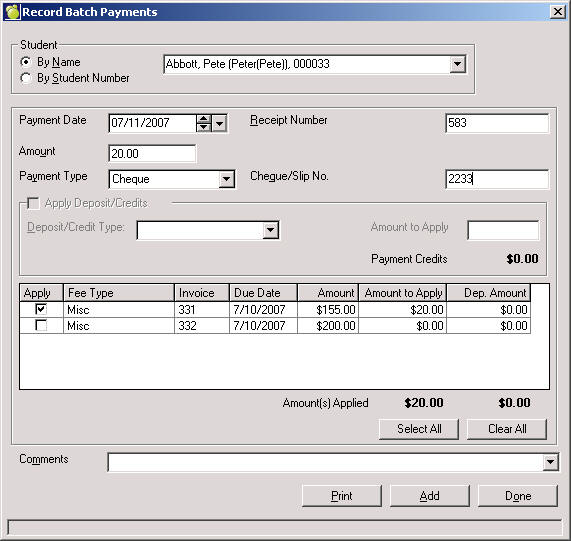
This time saving option brings up the edit screen of an individual student’s account without having to go into the student record. Choose Accounts. Batch Payment Entry and then choose the select order (either by Name or Student Number) and the selected student’s account information will appear. Enter payment information as required. Press the Add button to record the payment, then select another student for whom to record payments or press the Done button to record the payment and exit the Batch Payment Entry screen.
Select a student by name or by student number.
Once selected, all outstanding charges will appear for the student. Enter the appropriate payment information.
Press Print to print a receipt and record payment or Add to record the payment.
Select the next student.