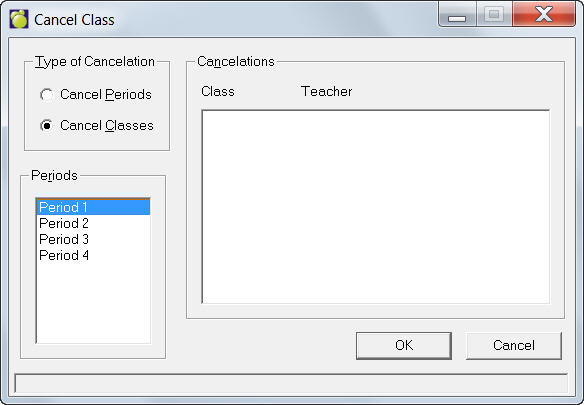
To access this attendance feature, choose Attendance, Enter Attendance, Cancel Class.
If a class is cancelled during the day use this feature. If a cancelled class is not entered, there will be irregularities in the reported attendance. The result will be unnecessary Reports of Classes Missed and inaccurate information in the Permanent Attendance Register.
To prevent the production of unnecessary Reports of Classes Missed and inaccurate information in the Permanent Attendance Record, enter cancelled classes just before printing the Reports of Classes Missed at the end of the day. It is best to do this at the end of the day because Any entries of attendance information made after running Cancel Class will override the information of the cancelled classes. For example: You have entered Sara Smith in as excused before homeroom (absent all day) and then you execute a Cancelled Class, this will override Sara's entry of Absent for that class (this is what you want). However, if you cancel the class and then make Sara absent from it she will show up as having missed the class, when in fact the class did not take place (this is not what you want).
If you have to enter added attendance information after you execute the Cancelled Class, you can correct the situation by cancelling the classes again. The classes that you cancel should be entered one at a time. When you have entered all of the classes, you can then check to see if they are accurate entries. If inaccurate, each class will be displayed for correction. When all classes are correct, the program will make entries on the Temporary Attendance Register. Entries will become permanent when you run a Report of Classes Missed.
The 'Attendance Taken' flag in they system will now be set to Yes whenever any class OR period OR any combination of the two are cancelled within the Cancel Class screen.