The Maplewood attendance programs may be used with either the Scantron 8200/Scanmark 2000s, the National Computer Systems (NCS) Sentry 3000 scanner, or NCS OPSCAN 5.
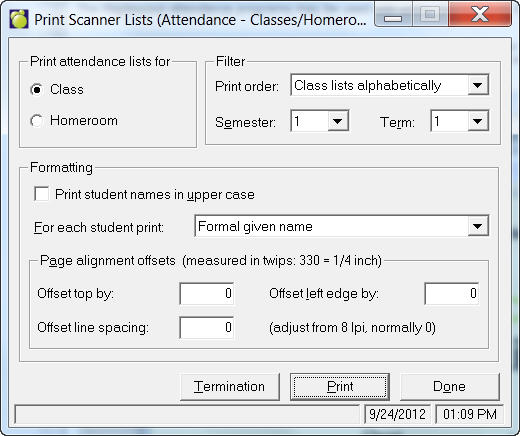
This command will be available only if you have selected a scanner from the Attendance Parameters window. To print Scanner Lists, choose Attendance, Print Lists for Scanner. Twips settings: a "-" moves left or up. A "+" moves it right or down. This command will be available only if you have selected a scanner from the Attendance Parameters window.
Note: Before the scanner may be used for attendance, you must order Homeroom/Class Attendance Sheets for the scanner from your scanner representative.
This Scanner Lists feature prints the names of the students in each class or homeroom onto the scanner sheets along with some coding that is required by the scanner. Scanner Lists also prints a Termination Sheet for the NCS scanner. When printing homeroom or class attendance, there is a printing order that you must first specify: click Print on the Scanner Lists box and select a start and end class or click the single class check box.
When you choose Print Scanner Lists, the option to print the homeroom lists is presented. If the NCS scanner is selected, the choice to print a Termination Sheet is also presented. If you are using a NCS scanner, print both the homeroom lists and one Termination Sheet. On the sheets, each student’s surname is printed with each student’s formal given name, usual name, both the formal and given names, or the given name and the student number.
If you want to test you scanner sheets first, choose Maintenance, Test Scanner Sheets.