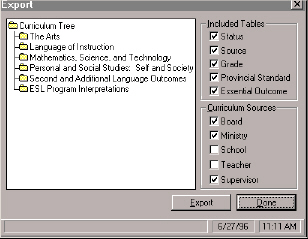
Exports a curriculum item to a file (*.exp).
To export Curriculum data,
1 Choose Export Curriculum from the File menu.
2 Select the item that you want by double-clicking on the tree branches.
3 Select options from the Included Tables frame.
4 Select options from the Curriculum Sources frame.
5 Click Export.
6 Enter a file name (*.exp) in the Export box.
7 Click OK.