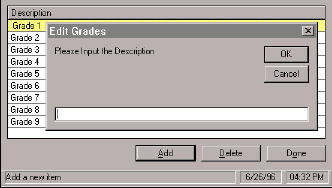
·To add a grade description click Add and enter a description.
·To edit a grade select the name and enter new text.
·To delete a grade highlight the line and click Delete. This automatically removes the grade.
Only the supervisor can add and edit grade information. Choose Grades from the Supervisor menu. This graphic shows what you will see when you click the Add button. Enter a grade description and click OK.
·To add a grade description click Add and enter a description.
·To edit a grade select the name and enter new text.
·To delete a grade highlight the line and click Delete. This automatically removes the grade.