· To add a status click Add and enter a new status description.
· To edit a status select a line and enter a new status description.
· To delete a status select the line and click Delete. This automatically deletes a status.
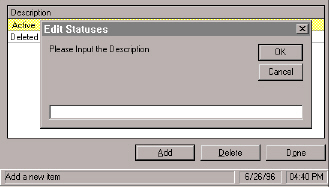
Only the Supervisor can add, edit and delete statuses. Choose Statuses from the Supervisor menu. This graphic shows what you will see when you click the Add button. Enter a status description and click OK.
· To add a status click Add and enter a new status description.
· To edit a status select a line and enter a new status description.
· To delete a status select the line and click Delete. This automatically deletes a status.