There are a number of notepads available to each student which can be modified at any time.
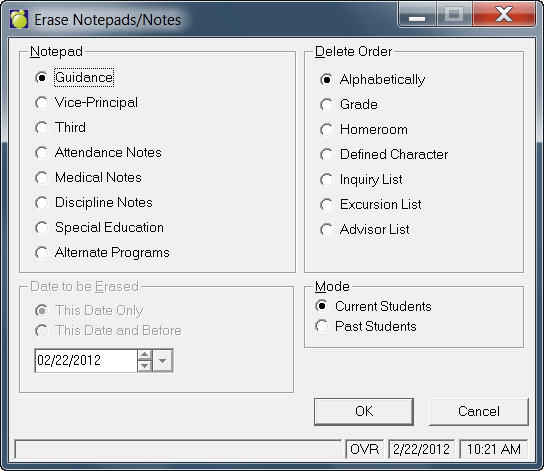
Choose File, Maintenance, Erase Notepads/ Notes to see this screen:
Select the type of Notepad that you would like to erase.
Select a Delete Order.
Click OK and you will see a Notepad Delete Settings screen. Each type of Delete Order will have unique settings.
Select the registered students to include. E.g., Both this and next year students.
Select the student(s). e.g. Individual check box.
The Notepad Delete Settings box will appear.
Click Start to delete.