Choose File, Maintenance, Count.
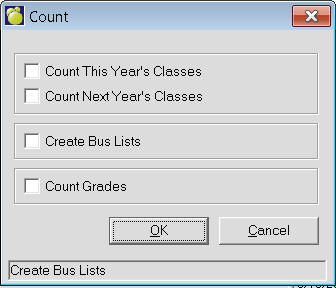
Click the check boxes for the count options that you want.
Click Start to begin counting.
When you have finished using the Count feature, click Done to return to the Administration System.
Count Class Size verifies the number of males, the number of females, and the total number of students in each class (current and scheduling). These totals are normally automatically updated when some change has been made that would affect them.
Choose File, Maintenance, Count.
Click the check boxes for the count options that you want.
Click Start to begin counting.
When you have finished using the Count feature, click Done to return to the Administration System.
Notes: If for any reason the totals appear to be incorrect, the Customer Service Department at Maplewood Computing may request you to run this program.