Notes
1) Some tables are used for different purposes in different jurisdictions. When no jurisdiction is listed below, the table name is applicable to all Maplewood clients.
2) Tables will not display in the list to synchronize if they have not been properly initialized in Central Office. For example, if none of the Special Education tables show up in the list under the Options tab, the user must open each of the menu items under Students - Custom Fields/Tables - Special Education in Central Office, to create the tables.
List of tables:
Jurisdictional Enrolment Tables:
Birthdate Verification / Place of Birth/Origin (SK) / Birthplace (BC)
Citizenship / Ethnicity (NWT)
Destination Types / Exit Description (AB)
First Languages / Languages (SK) / Language Programs (MB)
Origin Types / Registration Entry Status (AB)
Non-Residence Fees Source / Grant Programs (AB) / Enrolment Types (MB) / Home Community (NWT) / Source of Fees (BC)
Enrollment Types (AB) / Ethnic Codes (US) / Aboriginal Codes (SK)
Tax Support / Registration Type (AB) / Additional Information (NWT) / Foreign Exchange Sponsor (MB) / Programs (SK)
Career Preparation Codes / Section 23 (AB) / Country of Origin (ON) / Career Program Codes (BC)
Residence / French Immersion Program (ON) / Aboriginal Identity (MB)
Standard Tables:
Divisions / Boards (ON)
Schools
Custody Types
Special Education Tables
Special Education Exceptionalities / Special Education Categories (AB)
Special Education Programs
Special Education Support Services
Special Education Resources
Special Education Committee Types
Special Education Placement Settings
Special Education Placement Locations
Special Education Placement Status
Aboriginal Tables
Aboriginal District of Financial Responsibility
Aboriginal Band
Aboriginal Reserve
Aboriginal Status Code
Aboriginal Accommodation
Aboriginal Residence Status
Incident Tracking Tables
Incident Consequence
Incident Consequence Letter
Incident Infraction
Incident Location
Incident Person Type
Incident Report Note
Incident Timeframe
Incident Weapon
Incident Appeal Outcome
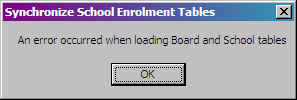
1) Error Loading School or Board Tables
Please contact Maplewood Computing. This error means that the program has had a problem loading one of the files and there may be something unique about the data that needs to be examined.
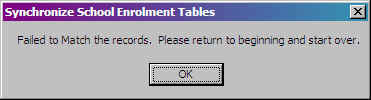
2) Failed to match the records
If this message appears, close the program and begin the synchronization again. The tables may have become muddled in memory. If the message persists, please contact Maplewood Computing.
All changes are kept in log files. These files can be viewed through Central Office, File - Division Data Analysis - View Logs, under a Classification of Miscellaneous Log Files.
Student log: ...\Central\Logs\SyncStu.logSchool table log: ...Central\Logs\BdClNwTb.log
Contains a log of the data that was changed in the school tables.
Deleted fields log: ...Central\Logs\BdClDeFl.log
Contains a log of the items that were deleted from the school tables.
No symatch is the file created for the records you match up so if the operation is stopped part way through you do not have to start over. No logs are created until you click the Finish button on the final tab.
D) Values in multiple locations
Before and after synchronization, please take extra care to confirm the validity of your data for these tables that affect multiple areas of the Maplewood data:
The Schools table
The Schools table is unique in that it is the only field available for synchronization that affects more than just the student record. All other fields available for synchronization are kept only in the student record. A link to the schools table can occur in the following locations. Please ensure the validity of data in these areas throughout the division:
Student Record - Origin School, Previous Enrolment Origin School, Destination School, Previous Enrolment Destination School, Student Record (OSR in Ontario) Destination School, Special Education School, First Eucharist School, First Reconciliation School, Confirmation School, School Credit was Completed In (where applicable),
Staff Record - Origin School, Destination School
Classes File - Provincial Exam Writing Centre (where applicable)
Aboriginal Band - affects the student record in two places: Band of Residence as well as Band of Financial Responsibility
Destination Types / Exit Description (AB) and
Origin Types / Registration Entry Status (AB) - occur in the previous enrolment area of the enrolment area as well as the main Enrolment screen.
Non-Residence Fees Source / Grant Programs (AB) / Enrolment Types (MB) / Home Community (NWT) / Source of Fees (BC) and
Tax Support / Registration Type (AB) / Additional Information (NWT) / Programs Indicator (MB) / Programs (SK) - can occur in the internal transfers as well as the main Enrolment screen.
Grant Programs (AB) and Enrollment Types (AB) - can occur up to three times in the student's Enrolment screen.
Special Education Exceptionalities / Special Education Categories (AB) - A student can have up to three.
Special Education Placement Settings
Special Education Placement Locations
Special Education Placement Status - A student can have up to two placements.
Special Education Committee Types - A student can have up to three meetings.