This program checks your system for correct applications. If there are any version numbers that are lower,
Choose File, Maintenance, Verify Maplewood Applications.
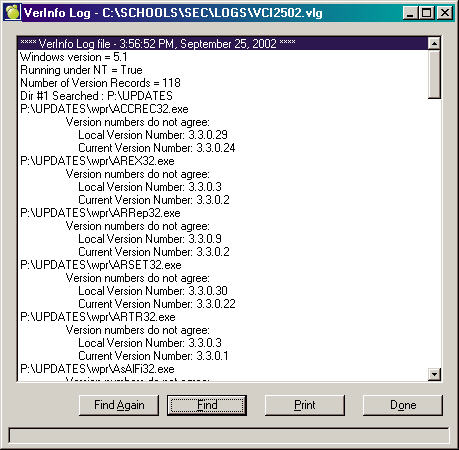
If the program finds nothing incorrect, you will be returned to the main Maplewood System. If it finds anything incorrect you will see a box similar to this one. If there are mismatched files please call Maplewood to either obtain a current set of applications or an updated version DB. We recommend that you print the VerInfo Log and have it handy when you contact Maplewood Support at 800.265.3482.
Search Capability
To search for text click Find and enter search string. To find another instance of the same string, click Find Again. To send the findings to the printer click Print.