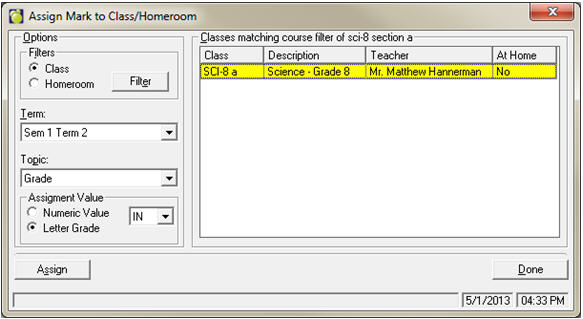
Choose Marks, Topic Based Marks, Assign Mark to Class/Homeroom.
This feature can be used to assign one mark to all students in a particular class.
Define the filter as required (make sure only the classes to which you want to assign the mark are selected!) and select the desired Term and Topic. Either enter a numeric mark or select Letter Grade to select the value you wish to assign. Click Assign. You may receive an error report if the selected Term and Topic are not assigned to the selected class(es).