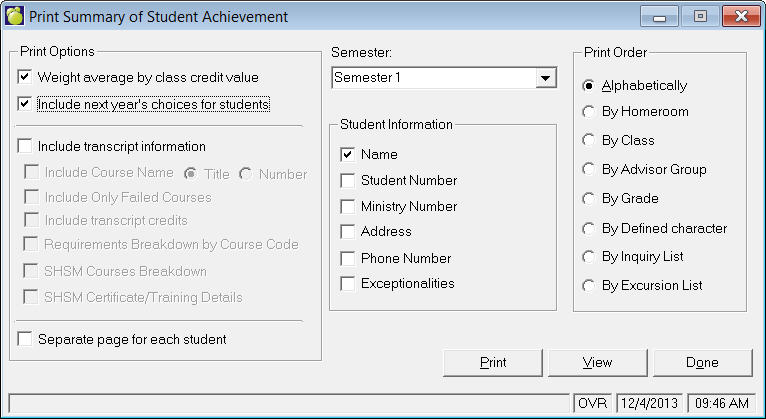
The achievement summary can contain each student's name, Student Letters, Defined Characters, homeroom number and designation, grade, classes, and marks. The marks in each of the six marking/grading columns are printed for each class in which a student is enrolled. Each student's average in each marking column is also printed. If desired, the averages may be weighted by class credit values. You can print the course number rather than course title if transcript info is included.
The achievement summary may be printed for students alphabetically, by grade, by homeroom, by a defined character, for students in a list compiled by Inquiry, or for students in a Sorted List. Choose Marks, Print Summary of Student Achievements.
Semester: Select the semester from the drop down list and then specify what student information you want printed by clicking the check boxes.
Print Order: Click an option button. Each print order has a unique selection box where you can enter specific orders. Note: Sort, Inquiry and Excursion List options will not let you include deleted students from the Mark Book Options frame.
Here the first student in the school has been selected to begin the printing. The last student for printing is currently selected as Nicole Zemnicky, but can be changed by clicking the Select button. To print an Individual Student, click the check box and make your selection from the list that appears. When you are ready, click View to preview before printing or click Print to send directly to the printer.
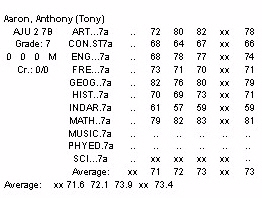
Note: For Ontario users, the Mark Book only prints the total for compulsory credits in the QEV not the entire total of credits for QEV..