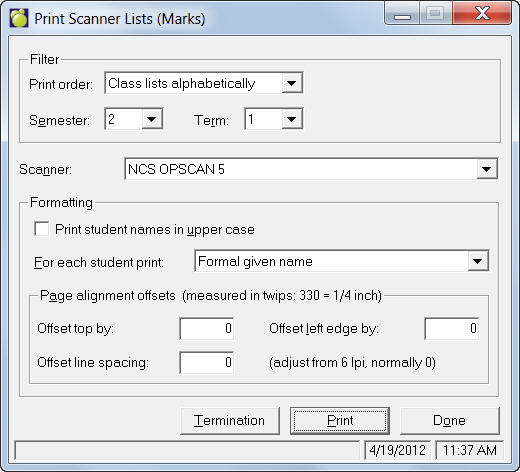
To print scanner lists, choose Marks, Print Lists for Scanner.
- Select a print order from the drop-down list: Class lists alphabetically or Teachers' class list.
- Next choose the semester and term.
- Select your scanner type (scanner types are preset by Maplewood, so if you don't see your scanner listed, please contact Maplewood Support for assistance). Then select the printing options for the print list. On the sheets, each student's surname is printed with each student's formal given name, usual name, both the formal and given names, or the given name and the student number.
- If you need to make slight printing adjustments, use the offset options.
To print a Termination sheet, click the Termination button.