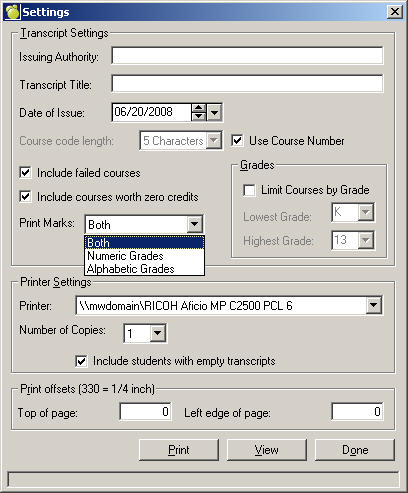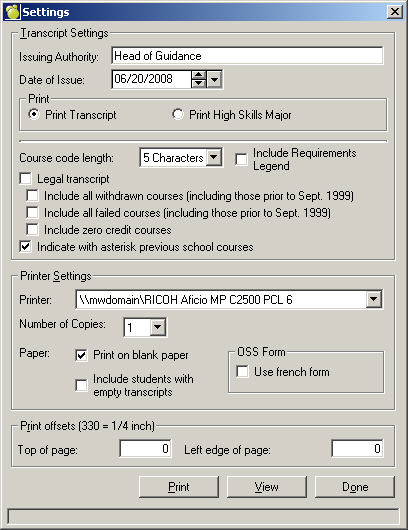
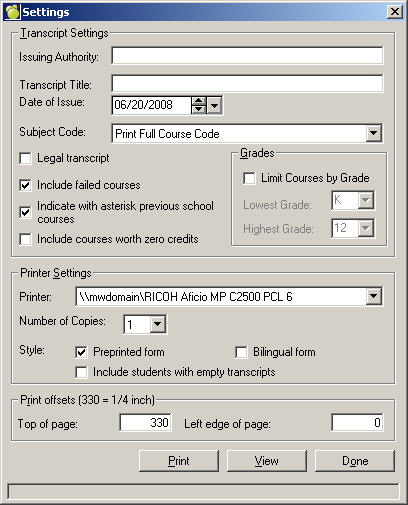
The Print Transcripts feature lets you set up variables for printing Transcript information in one convenient window. The Print Transcript window is unique for each jurisdiction. Using either method will display the same window for your jurisdiction:
1. Choose Marks, Print Transcripts, or
2. Choose Students, Student Records (select a student), History tab, and click the Print button.
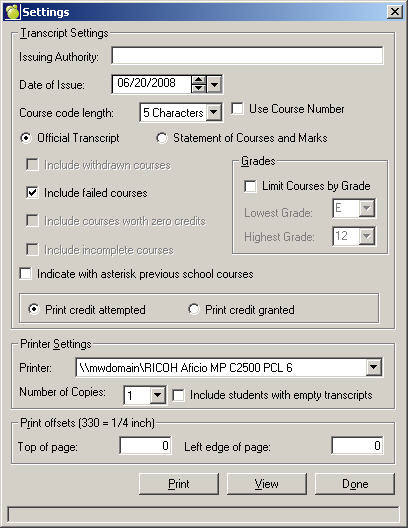
If Official Transcript is selected, then the following options must be grayed out: Withdrawn Courses, Incomplete Courses, Zero Credit Courses. Failed Courses should be checked by default.
If Statement of Courses and Marks is selected, all options are activated. The following options are checked by default: Failed Courses and Incomplete Courses.
Official Transcript selection will only have 'include failed courses' and 'Indicate with asterisk previous school courses' checkboxes active.
Statement of Courses and Marks selection will have all checkboxes active.
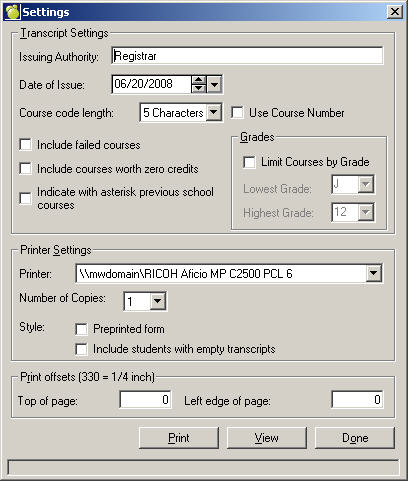
Under Transcript Settings, enter Issuing Authority and Date of Issue. Below, enter Course Information: select the Course Code Length and then click the appropriate check boxes.
Enter your Printer Settings and check if you want to use a Pre-printed form in the printer.
Finally, enter your print offsets and then click View to see a preview or click Print.
Note: Depending on compulsory credits, if the requirements have been achieved using only .5 of an full credit, the transcript may look in correct when adding up the number of compulsory credits but it is in fact correct. For example, if the student needs 5 English credits and has 4.5 credits already, they only need to use .5 of a full English credit but the "X" which indicates Compulsory on the transcript will print for that course even though it is actually only counting half of a Compulsory credits (because that's all the student needs).
The list below includes all senior level Language courses
Classical Languages
LVGCU
LVLCU
International Languages
***CU
***CO
***DU
***DO
Native Languages
***EO
Ontario Jurisdiction
Alberta Jurisdiction
Saskatchewan Jurisdiction
Manitoba Jurisdiction
British Columbia Jurisdiction
Special Note about BC Private Schools
Private BC schools can report student transcript marks by,
This is only for private BC schools.