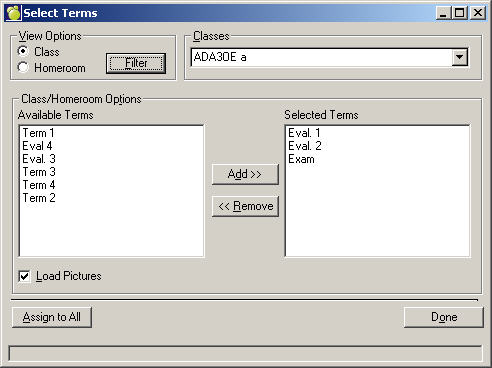
Terms must be assigned to each class. To select a term,
1. Choose Marks, Topic-based Marks, Select Terms.
2. Select the class or homeroom from the drop-down list. Before you can select Terms you must have Classes and Homerooms selected. This requirement prevents accidental removal or terms and topics, because clicking Assign to All will change the terms and topic assignment of all classes in the list. If they are not selected, you will receive a message when you try to access the Homeroom or Class drop-down list. To select a Class or Homeroom, click the Method button. Once selected, the Homerooms or Classes drop-down list will be available.
3. To select a term, double-click or highlight the name and click Add>>. To remove a term double-click or highlight the name and click << Remove.
4. If you want to have the same terms assigned to all classes in the list click the Assign to All button
Note: to display student pictures when using Classroom Manager, click Load Pictures.