Allows users to define the required credits in achieving the defined diplomas. This is where define diplomas, define categories and define category groups come in to play. Define requirements allows the user to define how many credits from each category are required, as well as how many credits from each Category group are required to achieve the defined diplomas. Again, this table can be user defined, or the predefined table provided by Maplewood can be used.
*This feature is available only in the Secondary Administration System.
To add/edit the areas of concentration choose Marks, Define Requirements. Choose the area of concentration record you would like to edit, or click on Add to add a new area.
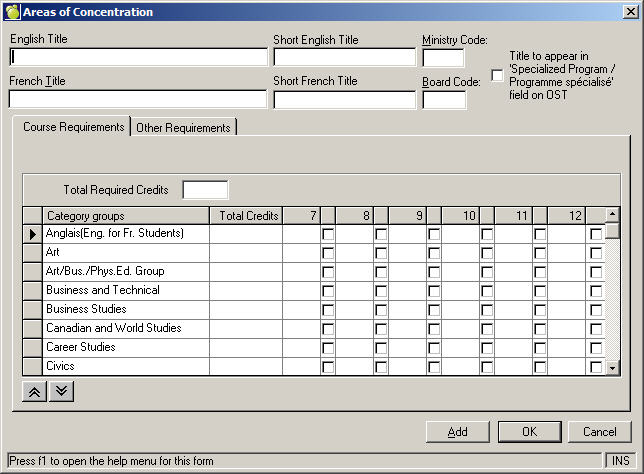
Enter or edit the course titles and ministry/board codes. The list of categories is pulling the titles from the category groups file. If you are missing some categories, you will need to add entries to the Category Groups file (see Define Category Groups).
Select the category you would like to assign credits to by checking the applicable boxes. The grades in your school will appear across the top, with associated check boxes. Select which ones are applicable by checking the boxes. The totals will be calculated in the Total Required Credits box.
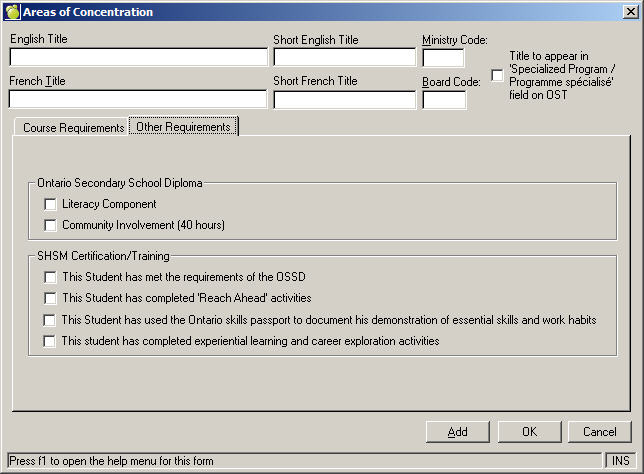
Use the Other Requirements tab to enter Diploma and SHSM Certification/Training information.