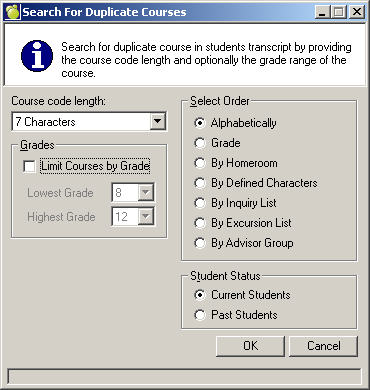
Choose Marks, Automatic Transcript Update, Search for Duplicate Courses.
Select a Past or Present Students, Grade, Course Code Length and finally the Select By removal method. Select one of the following methods: Alphabetical, Grade, Homeroom, Defined Character, Inquiry List.
If a course is already in a student's history records with a different date, it will be added again using Automatic Transcript Update. The names of those students who have the same course code repeated in their transcripts (e.g. those who are upgrading a mark/grade) should be printed using Search For Duplicate Courses. Check the history records of the affected students. If the course should only be printed on the transcript once, enter a credit value of zero for the course which should not be printed. Zero credit courses may be optionally excluded from the printed transcripts.
Note: Searching for duplicates now has the ability to search for duplicates considering up to the first 7 characters.