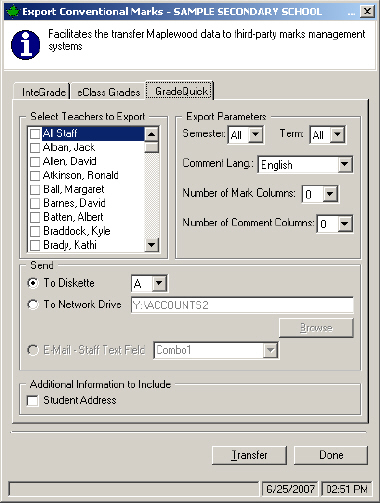
To export Maplewood Marks and Comments to InteGrade, choose Marks, Conventional Marks, Export, Exporting Jackson Gradequick:
Select the Teachers to export, by checking the boxes in the list.
From the Export Parameters frame, use the drop down lists to select the Semester(s), Term(s), Comment Language, Number of Mark and Number of Comment Columns.
Next, specify where the information will be sent: Diskette or Network Drive.
Finally, check if you want to include Student Address.
Click Transfer and Maplewood will export the information to the specified location.