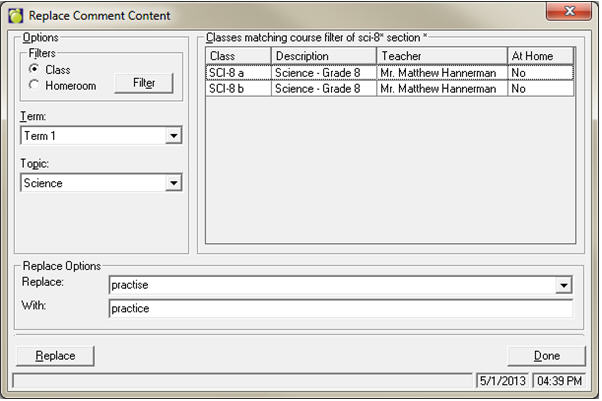
Choose Marks, Topic Based Marks, Find and Replace Comment Text.
Define the filter as required, and select the Term and Topic.
Enter the incorrect text in the Replace text box, and the new text in the With text box. Click Replace.
Options for “carriage return” and “blank” exist in the Replace dropdown list – to replace.