You can locate marking and comment columns that do not have any information entered yet. You can access this feature in one of two ways:
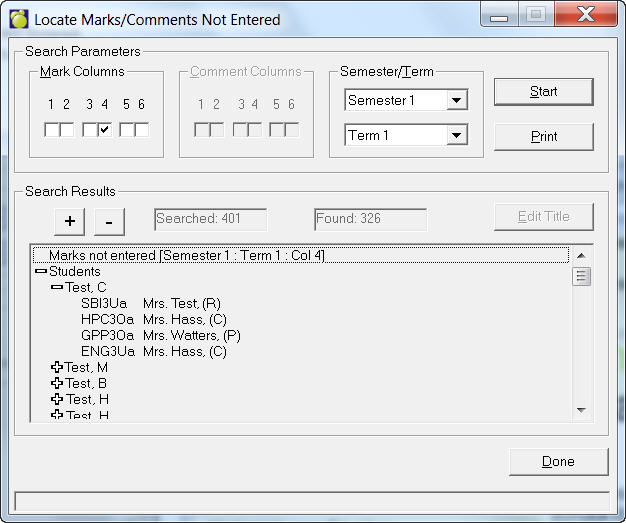
Either method will take you to this box:
Select the column(s) to search for unentered marks in either the Mark Columns frame or Comment Columns frame. You can only search either the Mark or Comment columns at a time.
For example, if you select columns in Marks, the Comment Columns frame will be disabled. If you want to enable the dimmed frame, you have to unselect all the boxes from the other frame. Select all the parameters, then click 'Start'.
You can double click a student to get information about in which class is the unentered mark/comment. You can edit the title that will appear on the top of the print out, by clicking 'Edit Title'.
Search Parameters: check the boxes for the mark/comment search. These boxes represent columns. You can only search marks or comments at one time. Select the semester and click Start.
Search Results: click the + button to expand the list; click the - button to contract the list.