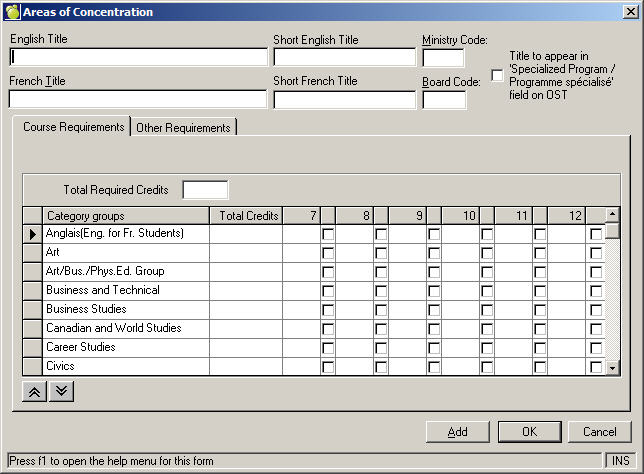
Areas of concentrations have changed so that you can choose the order in which your requirements are met. For example, if a student takes ADA1W it will show up as a requirement on the student's history tab. In the Areas of Concentration form, if you have "Arts" ordered before the group of "Arts/Bus./ Phys.Ed" then the ADA1W course will fulfill the Arts requirement first. The next "Arts" credit achieved by the student will fulfill the "Arts/Bus./ Phys.Ed" requirement. For Ontario schools these are automatically ordered correctly. The areas of concentrations are also automatically ordered for BC schools using the Credit Based Graduation Program.
To change the order of your areas of concentration choose Marks, Define Requirements. Choose the record you would like to edit.
Use the arrows on the side to move the categories in the order you would like them to be fulfilled.
In order to get the correct areas of concentration to show up on the history tab of the student's record, you must choose the "area of concentration" or "requirements" from the Edit history tab form. To access, go to the student's record, choose the History tab and then click on the Edit button. Choose the "area of concentration" from the drop down menu. This will change the requirements for that student and you will see the change reflected on the history tab which shows what requirements completed and outstanding. Note: The area of concentration is automatically figured out for students in Ontario schools based on their Entry to This School date.