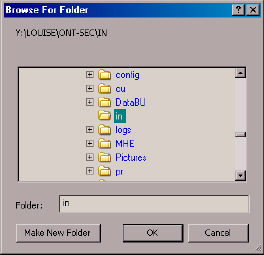
Select the Drive and Folder, then click OK. The reports index will automatically be re-indexed.
This feature rebuilds the master index of reports Do this when you add or delete a report from the fixed or floppy disk. To access the index reports feature, run Report Builder and press Shift + Enter. You will then see a Re-index Reports option under the File menu. You will not see this option unless you press Shift + Enter. This box will appear when you choose File, Re-index Reports.
Select the Drive and Folder, then click OK. The reports index will automatically be re-indexed.