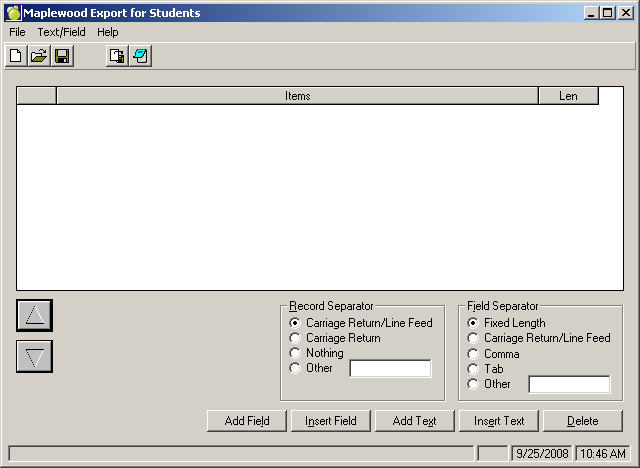
This exporting feature is a separate Report Builder program. Use this Application to export data to another program. To access Report Builder for Exporting, choose Reports, Report Builder, Reports For Exporting. Then select from Present Students, Past Students, Staff, Classes or Courses depending on which group you would like to export information.
Comma Field Separator and a field length of 0 will export all characters of that field. If the field length is set to 5, only the first (up to) 5 characters for that field will be exported. i.e. Surname Ara will show as Ara, Adamson will show as Adams.
Nine Steps for Export Report
Use these steps to create a report with items for exporting:
Note: In steps 2 and 3 you must specify exactly what format to use before exporting so that the report is accepted and interpreted correctly by the receiving program.