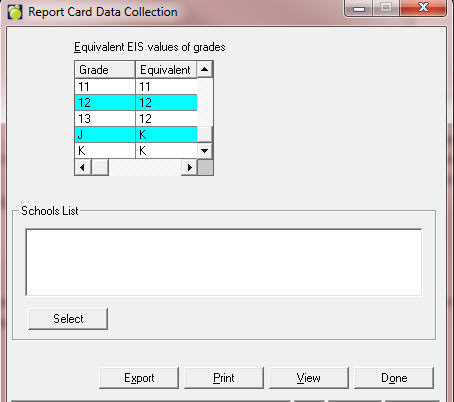
Please note, for the spring of 2016 when you are creating an initial test file for Manitoba Education, please run this report from your 2014-2015 archive dataset, to ensure that final/term 3 information is populated.
At the end of the generation process, a list of errors may appear. Some will require your attention while others are simply for information. The error log file is saved in your Logs\MiinMB folder.
Missing Course Records: This means that the student has no courses and will be excluded from the file.
Missing Term 3 for Specific Enrolment Grade: Means that the student has an internal transfer of grade, during the school year. Typically the error is referring to the grade the student was in at the beginning of the school year, so no action needs to be taken. However, you should still review the student’s internal transfers to be sure.
Missing Course Number: This error means that the student has a course in their timetable that does not have a course number. If the course being reported is not meant to be included in this extract (e.g., elementary attendance classes in a K-12 school), this error can be ignored. Otherwise a course number must be entered. Course codes beginning with MUL and ATT will automatically be ignored by this program and should not report an error because of a missing course number.
Missing Academic Achievement records: This error means that a term 3 mark has not been entered for at least one subtopic for the class listed. All classes must have a term 3 Mark for all subtopics, so this issue must be addressed, even if the solution is to enter a mark of NA.
Missing Final Mark: This error is indicating that a course with a course number is in the student’s timetable, but has no final mark (Term 3, topic Overall Grade). This course will be excluded from the export. All classes must have a final mark, so this issue must be addressed, even if the solution is to enter a mark of NA.
Missing Course Records: This means that the student has no courses and will be excluded from the file.
Missing Course Number: This error means that the student has a course in their timetable that does not have a course number. Otherwise please enter a course number for the course.
Missing Final Mark: This error is indicating that a course with a course number is in the student’s timetable, but has no final mark. This course will be excluded from the report.