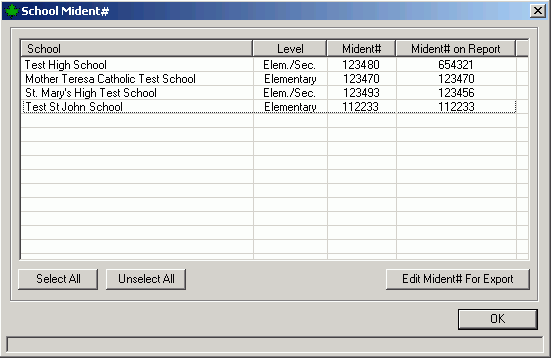
The Select Schools button allows you to choose which schools are to be included in the files. When creating the secondary files, all the secondary schools in Maplewood Central Office will appear. Use the Select All button to select all the school, or hold down the CTRL key while selecting individual schools, to select specific schools.
When creating the elementary OnSIS batch files, secondary schools with grade 8 or lower in the table of grades will also appear. These high schools will appear with the Level indicated as “Elem./Sec.” along with the Mident# assigned to the school. Since these combined elementary and secondary schools have a different Mident# for the elementary school, use the Edit Mident# for Export button to enter the elementary school’s mident number into the Mident# on Report column as shown here: