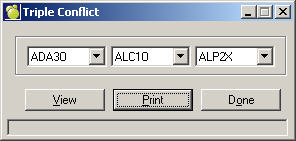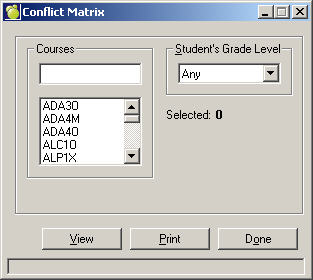
To print conflict matrices, choose Scheduling, Print Conflict Matrix, or Print Triple Conflict Matrix.
Some schools may find it helpful to print a conflict matrix for each course in the Courses File. Generally, conflict matrices are used for building a Master Timetable by hand and are therefore not necessary in the standard scheduling process.
Conflict Matrix: For each course code, this generates a list of those courses that do not conflict and a list of those courses that do conflict with the course in consideration. In the list of conflicting courses, the number of students who have conflicting choices in each course is indicated.
After opening the Conflict Matrix form, the curser defaults to the data field under Courses.
For keyboard use only, the field above the selection box can be used to select the course (s) by typing in the full course code, then click the Enter key, then you may select another course (s) and again select the enter key . When all courses are selected then click on View or Print. If you are selecting a group of courses (i.e. All of ADA3 s, then use a star for a wildcard - i.e. ADA3* ).
Mouse users may simply select the courses directly from the selection box.
Triple Conflict: Enter the three courses. The resulting print-out indicates the number of students who have requested each of the courses, along with the number of students who have requested:
course 1 and course 2
course 1 and course 3
course 2 and course 3
course 1 and course 2 and course 3
students who have requested 2 of the 3 courses