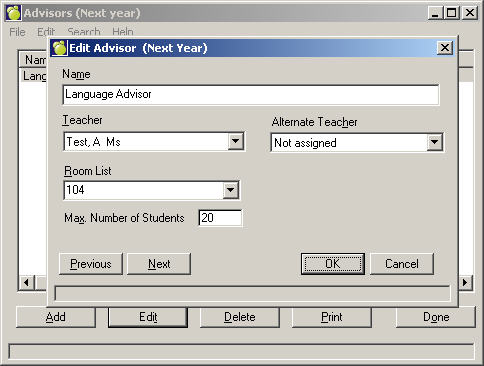
This option is used to place students in an Advisor Group that you have set up under File, School Setup, Advisor Group. To set up Advisor Groups for next year, choose Scheduling, Modify Files, Advisor Groups. Enter a name for the Advisor Group, then select the Teacher who will be the advisor and an alternate choice. Select from the Room List and finally enter the Maximum number of students for the group.
After you have made the changes, from the main toolbar, choose Students, Assign Advisor Groups to assign them. You have a choice of four assigning methods:
Sequential By Grade
In A Specific Class
Transfer
Individual Assignment