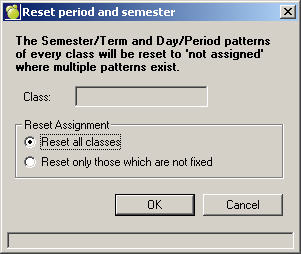
If you choose to modify the Classes File, you may want to remove the time assignments for all the classes. Do this by using the Reset The Time Taught For All Classes option within Assign Classes. This will remove the times when each of the classes are taught but it will retain the room, teacher, and homeroom assignments. You can include the teacher and the room when resetting all classes. When selecting to Reset All Classes, the teacher and room will be reset if those options are selected.
1. Choose Scheduling, Rebuild Classes, Reset All Classes.
2. Select one of the Reset Assignment options and click OK.
Removing the semester and period assignments allows the automatic placement feature of Master Builder to place the classes into time slots with the least number of conflicts.
In some cases you may have to combine classes in order to offer a full program. For this purpose, classes may be grouped. If classes are grouped, the automatic placement feature will move the grouped classes as a unit always considering all students in the group of classes.
Groupings are indicated, new classes are added, and current classes are edited using Scheduling, Modify Files, Classes.
You can choose to reset all classes or only those that are not fixed.
Please note that this option will also remove restrictions. The scheduling Classes File is accessed using the Display/ Modify Class Placements option within Master Builder.