Print Teacher Timetables
To print a list of teacher timetables, choose Staff, Print Teacher Timetables. Select the semester and term from the lists on the box below:
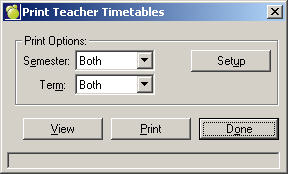
Specify Printing Options
Click the Setup button to see this setup window:
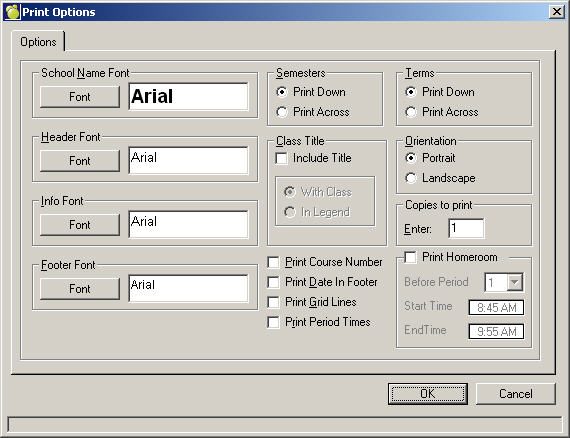
- Select School Name, Header and Info fonts.
- Print Semesters Across or Down
- Click the check box to include the Class Title.
Below, use the With Class option to print the Timetable with the class or use In Legend to print a list of Timetables at the bottom of the page.
- Choose Landscape or Portrait.
- Select the number of copies to print.
- As options, you now can Print the Course Number, the Date in the Footer, Grid Lines (boxes around your information on the printout) and Period Times.
- Print Homeroom. Check this box and specify to print Before a Specific Period, and then enter the Start and End Times.
Note: Homeroom Time can only be edited if Print Period Times is selected