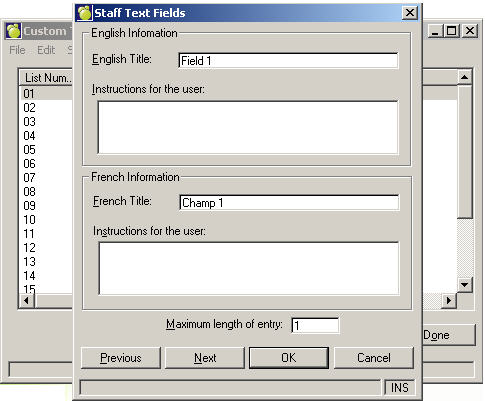
Text Fields are used when each entry is unique (e.g., parking space number). Each field contains title and entry instructions that are the same for each staff member. The field values will be different. The fields can contain any combination of letters, numbers and symbols up to 38 characters per field (including the title). There are 18 Text Fields.
To set up Text Fields, choose Staff, Text Fields. A Staff Text Fields box will appear.
To edit existing Text Fields, select a field and click Edit. To add a new Text Field, select an empty field and click Edit. To print a copy of the Text Fields, click the Print button.
Text Field setup for Staff is similar to the setup for Students.