- To print staff information, choose Staff, Print Lists this selection box:
- Check the First In List and Last In List or select a start and end staff member for printing from the drop-down lists.
- Check one or all of the staff registered boxes: Both This and Next Year, This Year Only (Not Returning) and Next Year Only.
- Select the Role and type of staff to be printed, Teachers and/or Other Staff.
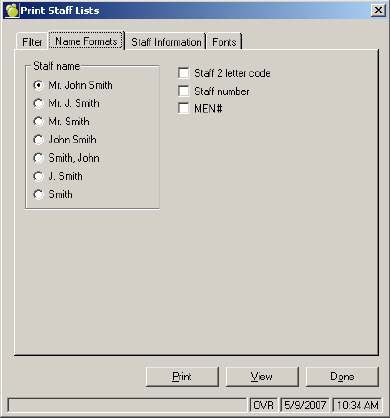
- On the Name Formats tab, select the format of the Staff name to be printed. You can also choose to print the Staff 2 letter code, Staff Number and MEN.
- On the Staff Information tab, select Staff name only or select from any of the Personal, General and Employment options.
- On the Fonts tab, select the style and size of font for printing selected items for staff lists.