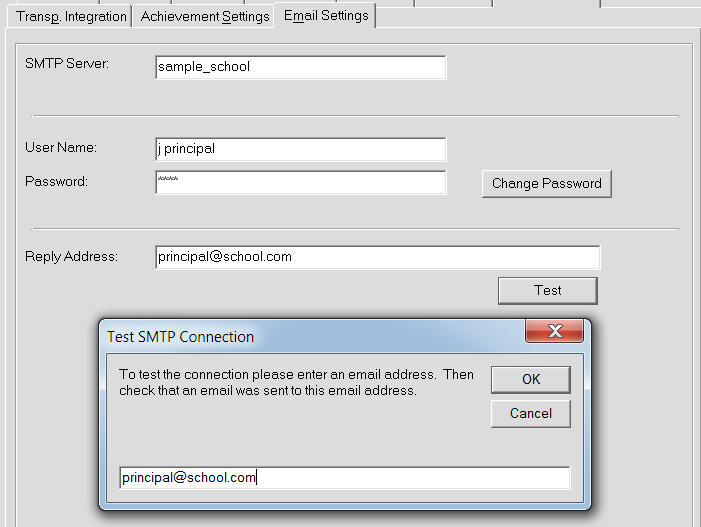
The Email Settings tab is required to define the SMTP emails settings used by Maplewood connectEd as well as Report Builder. The tab should only be available if the school has Maplewood connectEd installed or is running Maplewood Enterprise. The settings are stored in the Maplewood connectEd settings table and can be defined at the school level or Central Office. When the settings are defined in central office those values should be propagated to each school.
Enter the SMTP Server (Simple Mail Transfer Protocol) that is used to send and receive mail messages. User-level client mail applications typically use SMTP only for sending messages to a mail server for relaying.
The User Name is the remote desktop User Name they use to connect to our servers. Then the password which is also the password they use to connect to our servers through remote desktop. Check see that the email works by clicking the Test button and entering the email.