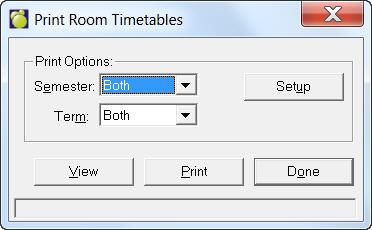
To print Timetables of a specific room in your school, choose File, School Setup, Print Room Timetables.
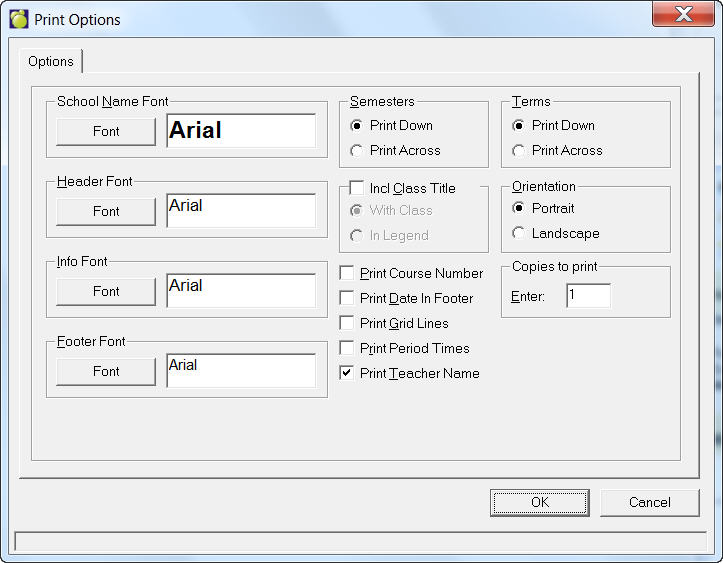
Setup - Click Setup to specify fonts and print layout. Here you can also choose to print Course Number, Date in Footer, Grid Lines and Period Times.
View - Click View to select the room and print timetable options. You can select a single room for printing or select Start with this room and then make a selection from the list. All rooms listed under this selection will have timetables associated with it printed.
You also have the option to print One Timetable per page by simply clicking the checkbox.
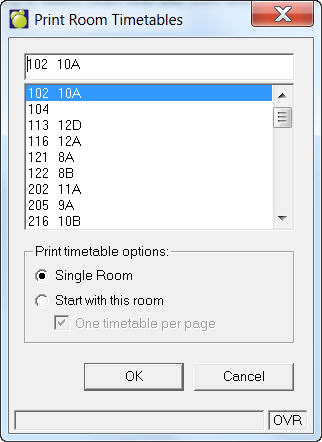
When you have finished, click OK to return to the original Print Room Timetables box.