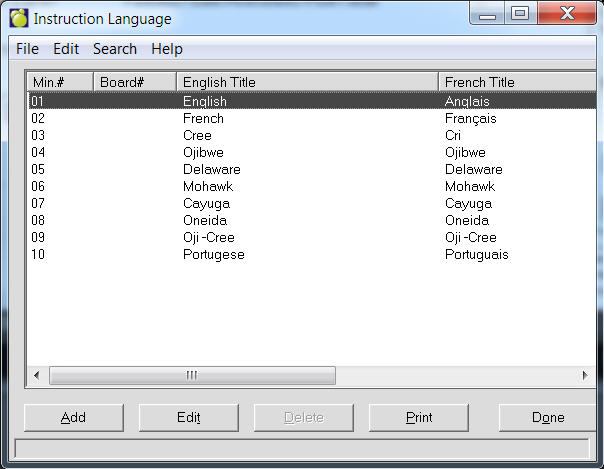
Choose File, School Setup, Language of Instruction. A list of Languages that have been defined previously will appear.
Use the option buttons at the bottom of the screen to add, edit, print or delete languages.
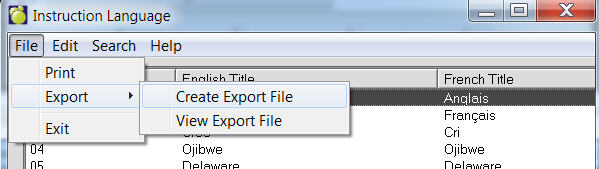
Language of Instruction Tables can now be exported to a file. To do this, use the menu at the top to select File, Export, Save. Once the file is created, it may be viewed by selecting File, Export, File Export View. The file is in comma delimited format (csv) and includes headers. For hosting customers, if you want to use the file in Excel (as an example), use the View option to find the file and then copy and paste it to a local machine licensed for Excel.
Add, Edit or Delete languages as appropriate.
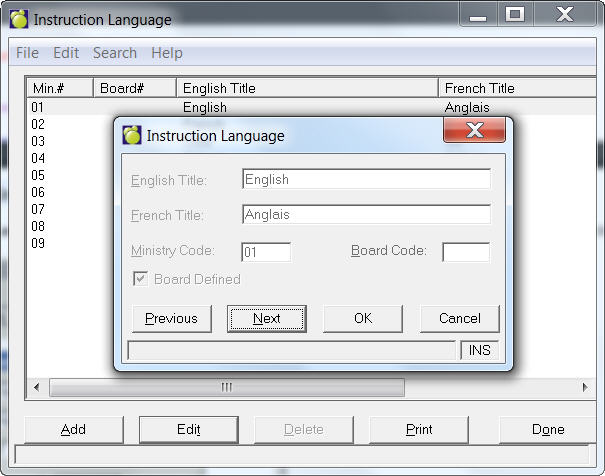
When adding, include the Title and Ministry and Board Code.