Setting Up Maplewood on Windows NT Workstation or Server
The server is the machine where the programs and data will physically reside. This machine does not need to be a Windows NT Server, a Server version of NT should be used if large numbers of people are going to use Maplewood, although if more than 2 or 3 people are going to be accessing Maplewood simultaneously it is advisable to make this a dedicated server (no one should use this computer to do other work). This is in contrast to the workstation, which will access the programs and/or data from the server. A typical network installation consists of one server, and anywhere from one to many workstations.
This document will assume that Maplewood is installed on the W: drive of the workstations.
Server Install
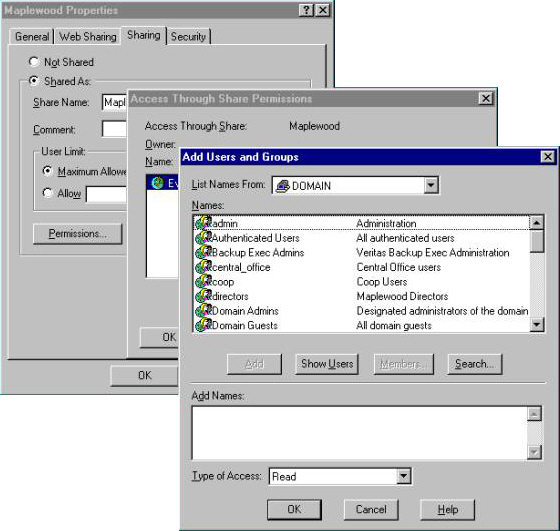
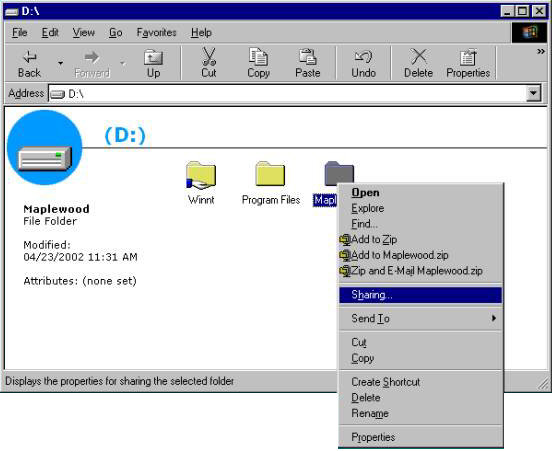
1. Create a directory called Maplewood.
2. Right click on the directory and select Sharing from the drop down.
3. Share the directory with a Share Name of Maplewood.
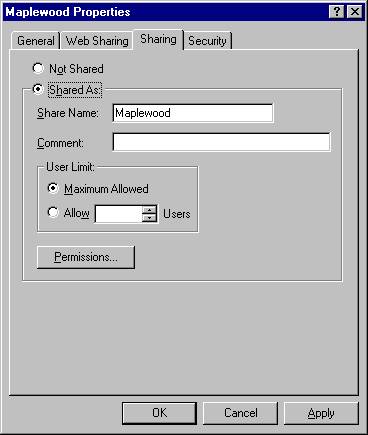
4. If you want to grant access to only certain people click on Permissions then add to add the groups or users that you would like to have access to Maplewood. As a general rule change permission will give you more than enough rights to run all functions of Maplewood for Windows Administration System or Classroom Manager.