This option is used to place students in a Sports House
that you have set up under File, School Setup, Sports House. To
assign student to a Sports House, choose Students, Assign Sports
Houses. You have a choice of four assigning methods:
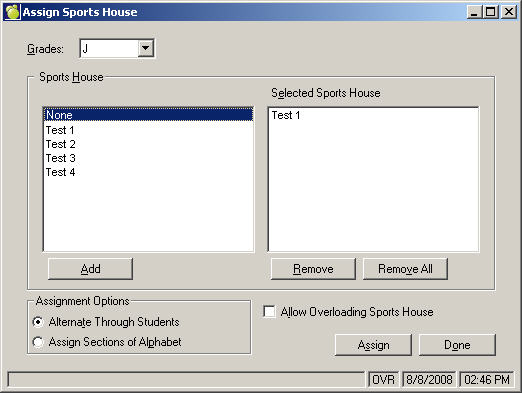
Sequential By Grade
- Select the grade.
- Make your selections from the left column and
click Add to place them in the Selected Sports House column. If you
wish to remove a Sports House, select from the right column and click
Remove.
- Select either Alternate Through Students of Assign
Sections of Alphabet.
- As an option, you can choose to Allow Overloading
Sports House (e.g. if you have allowed 30 students per Sports House,
the overload allows the user to add students to the group in excess
of 30 students).
- Click Assign.
In A Specific Class
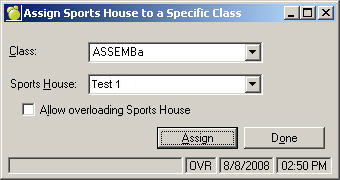
- Select a Class from the list.
- Select a Sports House from the list.
- As an option, you can choose to Allow Overloading
Sports House (e.g. if you have allowed 30 students per Sports House,
the overload allows the user to add students to the group in excess
of 30 students).
- Click Assign.
Transfer
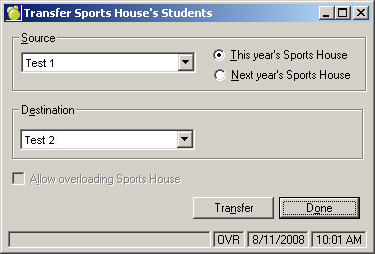
- Select a Source from the list. Choose This or
Next Year's Sports House.
- Select a Destination from the list.
- As an option, you can choose to Allow Overloading
Sports House (e.g. if you have allowed 30 students per advisor group,
the overload allows the user to add students to the group in excess
of 30 students).
- Click Transfer.
Individual Assignment
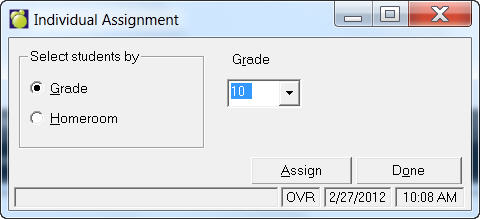
- Select students by Grade or Homeroom.
- Select a Grade from the list.
- Click Assign.