The Ministry's of Education's description of Supervised Alternative
Learning for Excused Pupils (SAL) is:
The parent(s) of an eligible student can apply for the student’s release
from regular, full-time school attendance so that the student can participate
in an alternative learning experience that is considered suitable for
him or her by a committee established in accordance with the regulation
governing the Supervised Alternative Learning for Excused Pupils (SAL)
program.
To be eligible for a SAL program, a student must be fourteen or fifteen years of age and enrolled in a secondary school program leading to a graduation diploma or certificate. Students who are enrolled in programs in board-sponsored schools, such as schools for the arts and academies, are also eligible for a SAL program. However, students in Provincial and Demonstration Schools, in care and treatment facilities, or those taking correspondence or distance education courses offered by the Independent Learning Centre are not eligible.
A SAL program must be approved by the committee established in accordance with the regulation on SAL. When the necessary approvals have been obtained, the student will continue to be registered at the school until he or she reaches sixteen years of age, when school attendance is no longer compulsory. Regular contact with the student will be maintained by a teacher or other staff member, and the principal will report to parents whenever the school issues achievement reports. The school will maintain the Ontario Student Record for each student involved in the program.
An SAL program may involve attendance at some classes or a full-time program away from the school. It may include one or more of the following elements:
full-time or part-time employment at an approved work placement
a program in life skills
continuing studies or other activities that the school board committee deems appropriate to the student’s needs and interests
A student’s learning in a SAL program may be eligible for credit towards a graduation diploma.
Security Note: Users who have access to the Enrolment tab (View Only) will also have access to the View the S.A.L. tab. Users who have access to the Enrolment tab (Full Rights) will also have access to the Edit the S.A.L. tab.
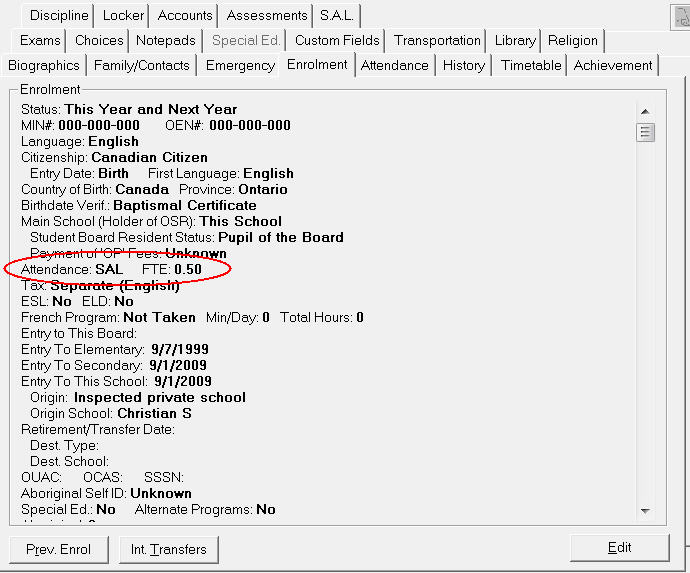
After you have set the Attendance Type to SAL, the S.A.L. tab will be enabled.
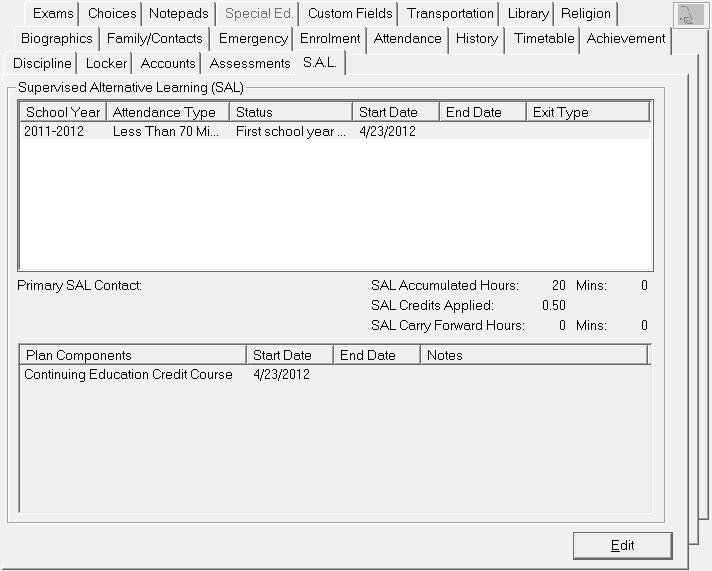
Click Edit to display an editing box for S.A.L. entries.
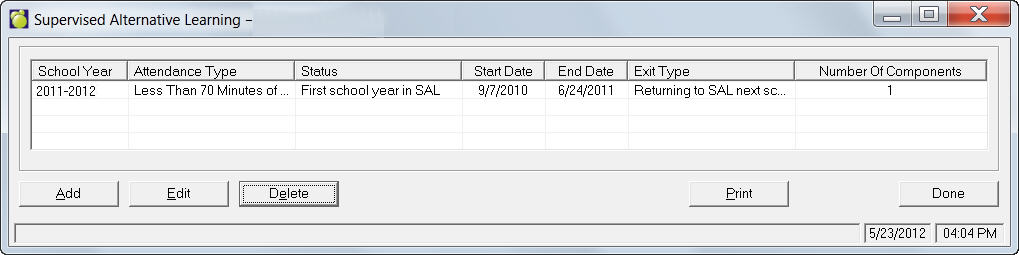
This image is a sample Add Supervised Alternate Learning box. To edit an entry, select from the list and click Edit.
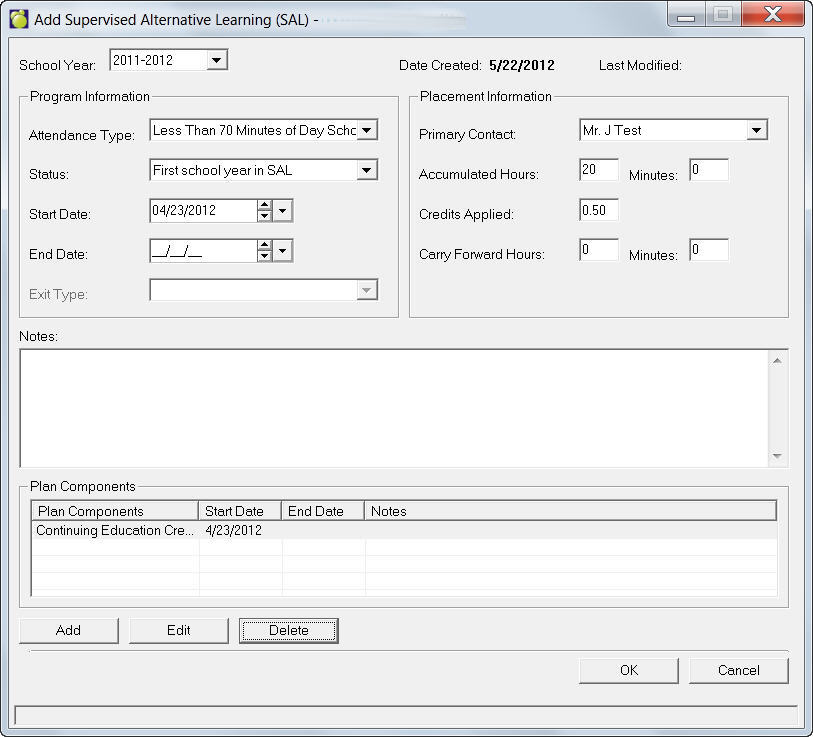
To add a Plan Component to the record, click Add and select from the previously defined list. Currently these are hard coded (sent from the ministry) and cannot be edited.