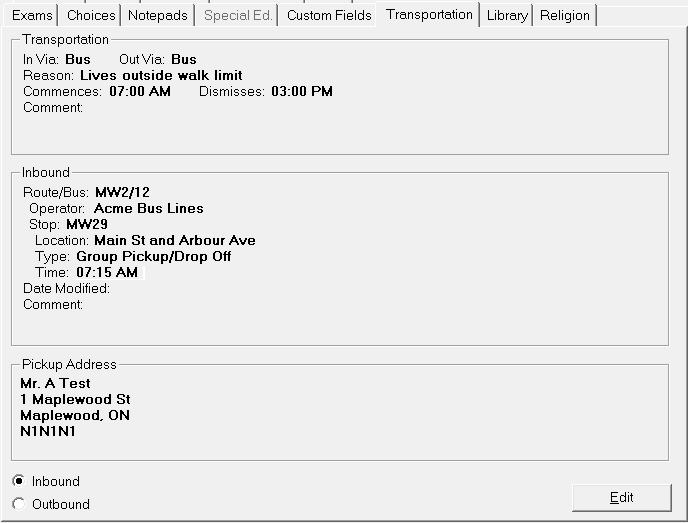
The Transportation tab can be used to enter the bus information for
the student. Choose Students,(select student), Transportation tab. Caribbean
Community and Common Market Note.
Bus information uses tables defined using Students, Custom Fields/Tables,
Transportation Lists. Instead of Transportation Reason, users will see
Transportation Subsidy field in its place.
To edit a student's transportation information to and from school, click Edit on the main Transportation tab.
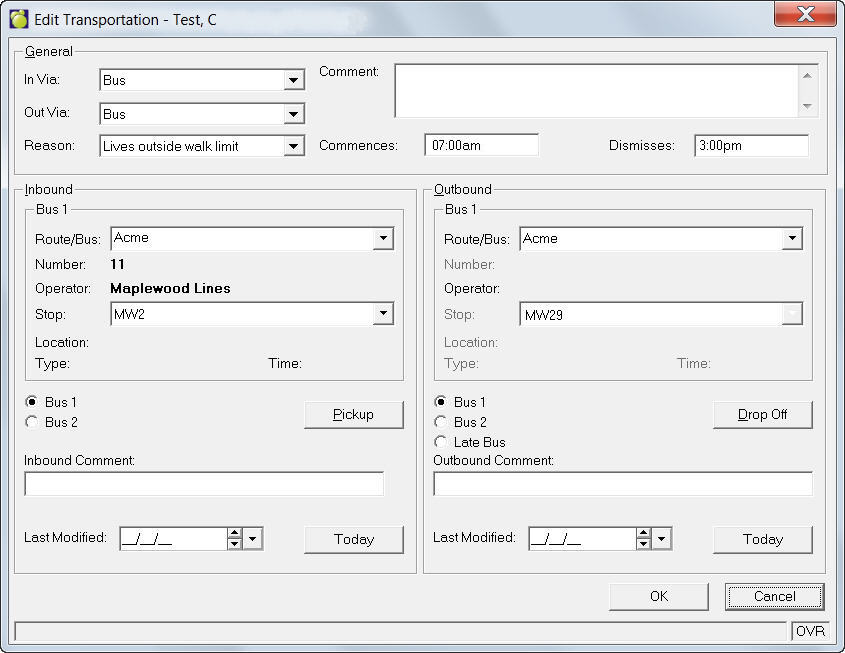
General- select an In Via, Out Via and Reason for transportation method from the drop-down lists. Beside here, type any special comments that you want attached, and also enter the school Commence and Dismiss times. There is an area for any additional transportation comments.
Inbound/Outbound - select the Route/Bus and Stop location from the drop-down lists. To set up Transportation Lists, choose Students, Custom Fields/Tables, Transportation Lists. Here you can set up Inbound and Outbound Routes, Transportation Types and Reasons.
To edit the pick up location for Inbound busses click Pickup and make changes in the editing box. To edit the drop off location for Outbound buses click Drop Off and make changes. You can make additional comments in the Inbound and Outbound Comment boxes. This is an example of a Pickup editing box. The Drop Off box is identical.
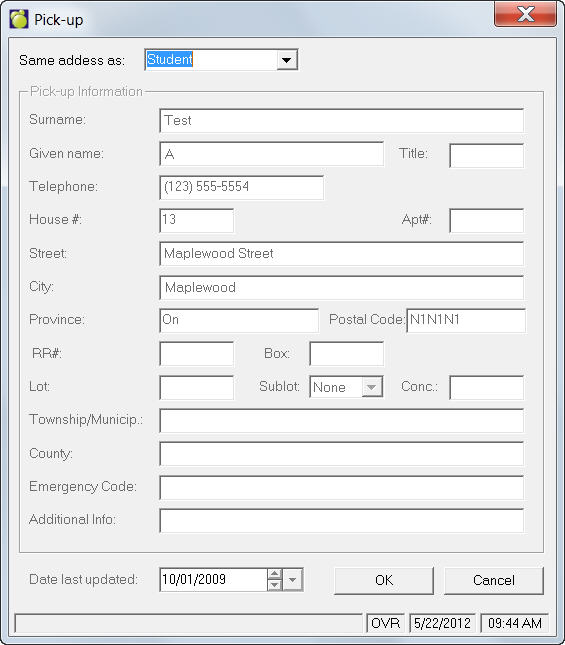
Note: Please use Date last updated area to keep records up-to-date.