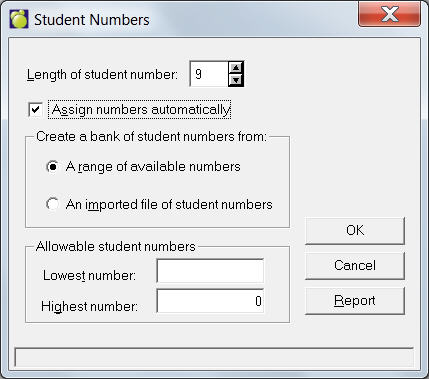
Choose Students, Custom Fields/Tables, Student Numbers to specify student number information. When each student is assigned a number, the entered number is checked against the school’s Bank of Numbers. Only numbers between the highest and lowest specified numbers will be accepted.
If you prefer to use the handy Automatic Assignment feature, check the Assign numbers automatically checkbox and specify whether to use a range of numbers or an imported file of student numbers. If you choose 'A range of available numbers', enter the Length for student numbers (between 1 and 12), and then enter the Lowest and Highest Number allowed.
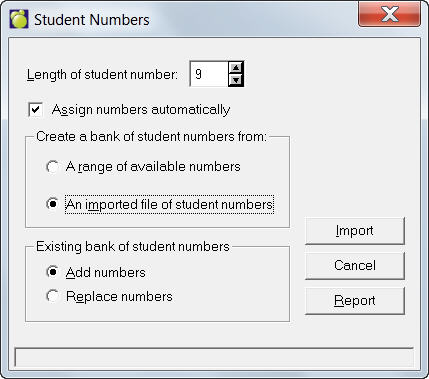
If you choose to assign numbers from an imported file, click the 'An imported file of student numbers' checkbox. Now specify if you want the imported numbers to be added to existing number bank or replace the existing number bank. Click Import when you're ready to assign numbers.
Report Dupicate Numbers
To see if there are any duplicate student numbers, click Report and the program will generate a list.