How to Run a Benefits Coverage Report
This screen produces the Employee Benefits Coverage Report; which contains a list of Employees that match the user’s Selection Criteria.
Use the following steps to Run a Benefits Coverage Report:
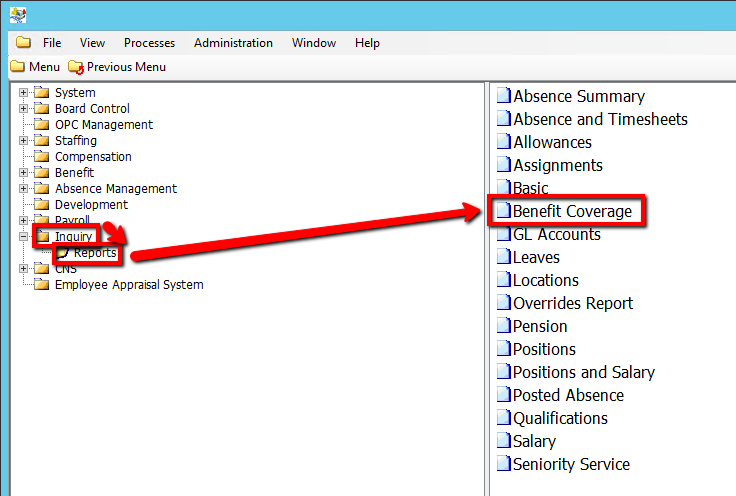
1. Click on Inquiry
2. Click on Reports
3. Click on Benefits Coverage
.png)
4. Enter a Report Parameter such as, Employee Group Code or Benefit Type Code (If applicable)
5. Enter an As of Date Value
6. Click on the Submit button to generate the report
.png)