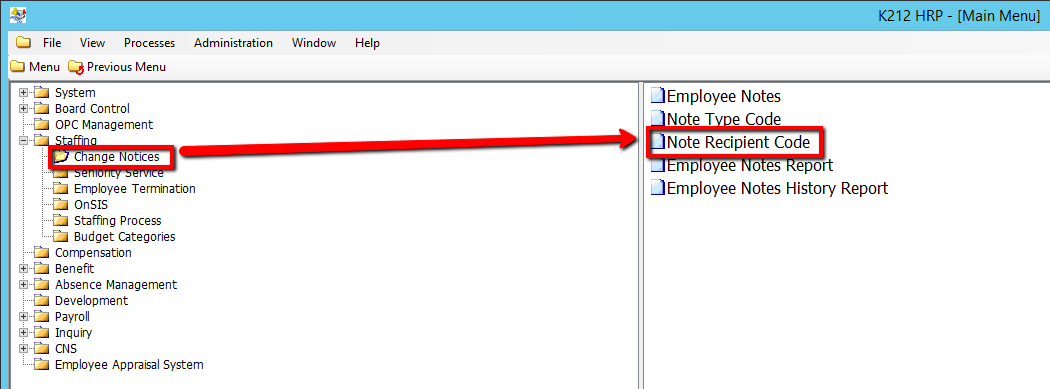
How to Add a Note Recipient Code
This screen is used to define and manage the Note Recipients used on the Employee Notes screen. The Note Recipients can be used to identify who should be processing the notes.
Use the following steps to Add an Note Recipient Code:
1. Click on Staffing
2. Click on Change Notices
3. Click on Note Recipient Code
.png)
4. Click the Find button at top of the menu bar to see all current records in the database.

5. If K212 HRP dialog box displays, click Yes to continue.
.png)
6. Click the New button at the top of the menu bar to add a new Type Code

7. Enter a valid Note Recipient Code (i.e Benefits)
8. Enter a unique Description for the specific Code
9. Enter a unique Abbreviation for the specific Code
10. Click the Status drop-down menu to select an option.
Note: Default is Active
11. Click Save to save your Note Recipient Code
