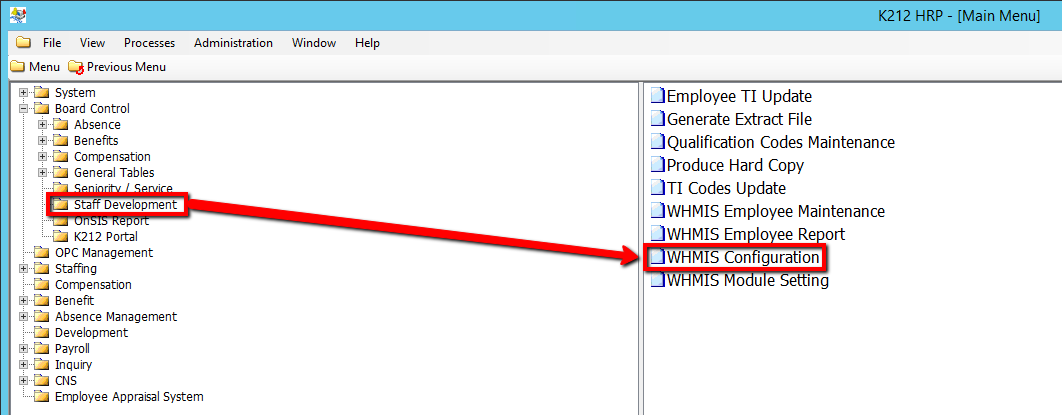
How to Configure WHMIS Modules
This screen allows administrators to define two parameters for the module; Minutes Per Module & the Renewal Month
Use the following steps to configure the WHMIS Modules:
1. Click on Board Control
2. Click on Staff Development
3. Click on WHMIS Configuration

4. Click the Find button at top of the menu bar to see all current records in the database. OR Enter in a Specific parameter such as Employee ID or Employee Group to narrow your search.

5. If K212 HRP dialog box displays, click Yes to continue.
.png)
6. Enter a Minutes Per Module value (i.e 5)
Note: Specifies how many minutes must elapse before an employee can proceed to the next module
7. Enter a Renewal Month value (i.e 4)
Note: This is the numeric month when the system will change the system to the next school year. Ex. 1 = January, 2 = February,…12 =December. If RENEWAL_MONTH = 9, then on September 1, 2014 the school year will change from 2013 to 2014.
.png)
8. Click the Save button to save the edits.
