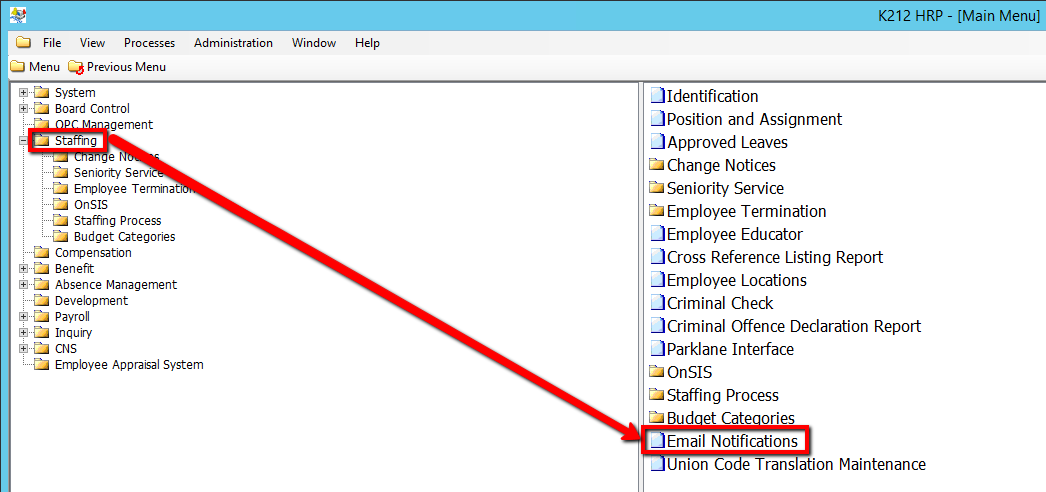
How To Enter Email Details
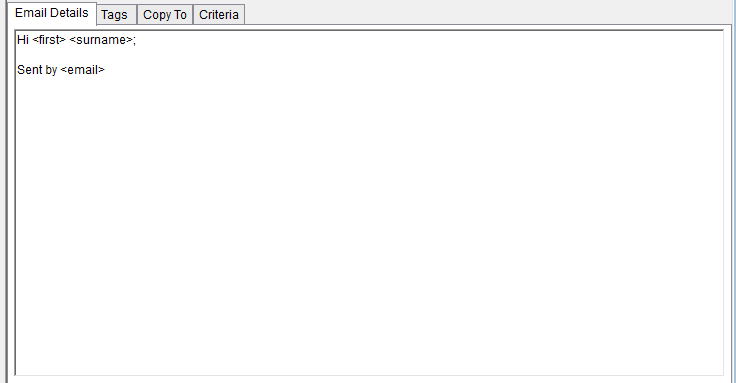
This tab is used to Add/Modify & displays the email content (body of email) that will be sent to the recipients.
Use the following steps to Enter Email Details:
1. Click on Staffing.
2. Click on Email Notifications
3. Click the Find button at top of the menu bar to see all current Records in the database.

4. If K212 HRP dialog box displays, click Yes to continue.
.png)
5. Select the Record that needs to be edited or Click the New button at the top of the menu bar to clear fields and add a new record

6. Enter an email message in the Email Details Tab
Note: Can include Merge Tags as defined on the Tags tab. Tags should be enclosed in brackets as follows: <tag_name>. Tags identified on the Copy To tab do not have this functionality.
7. Click the Save button.
